

01 Product overview
Product overview for manufacturers using MikroTik hardware
Bring device discovery and RouterOS web management into one workspace.
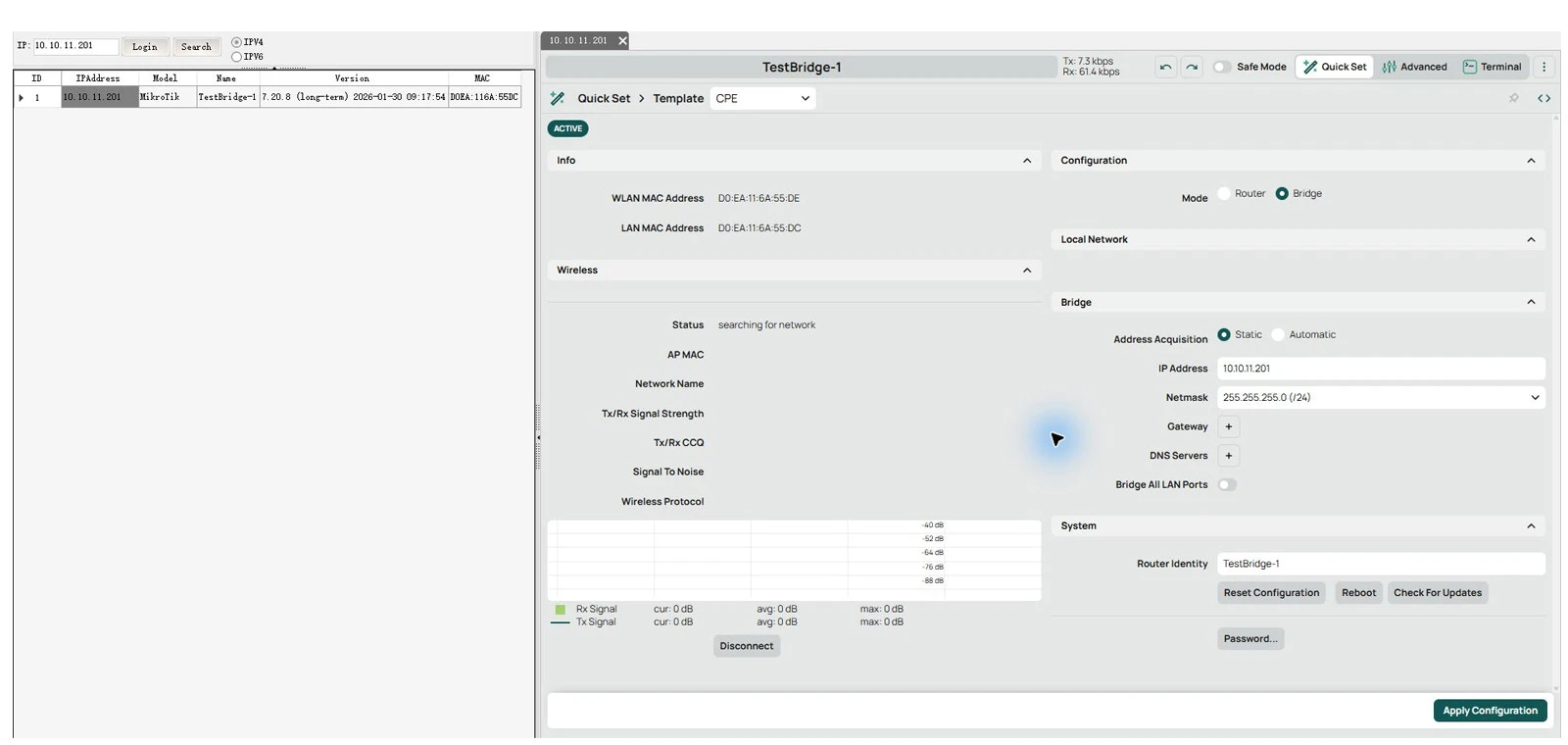
A practical workflow from discovery to management
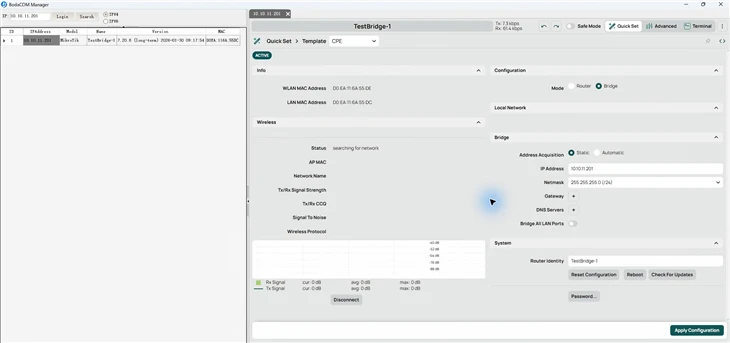
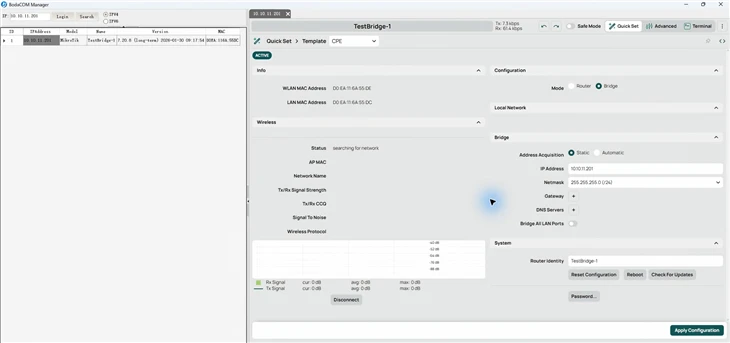
Manager connects local device discovery, device information and embedded MikroTik web management. For manufacturers building wireless bridges, CPEs and other products around MikroTik hardware, it provides a direct route from finding a device to reviewing its status and configuration in the same application. Alongside day-to-day device management, the software supports customization and further modifications to meet customer requirements.
This brochure uses an RB922UAGS-5HPacD to demonstrate discovery, the English management interface, and a verified device identity change.
02 Demonstration hardware
The demonstration device uses a MikroTik RB922UAGS-5HPacD board. Its integrated 5 GHz dual-chain 802.11ac radio, Gigabit Ethernet, SFP and expansion interfaces provide a hardware platform for wireless equipment manufacturers.
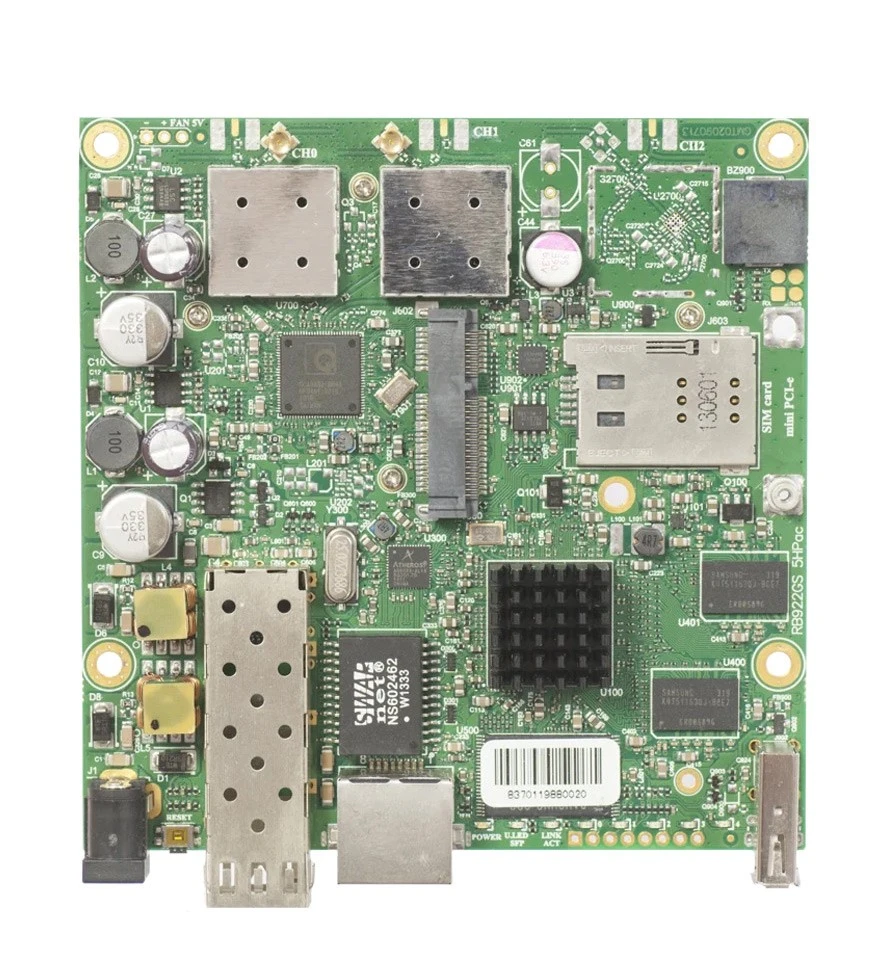
Official RB922UAGS-5HPacD product image. Source: MikroTik.
|
ITEM |
OFFICIAL SPECIFICATION |
|
CPU and memory |
QCA9557 720 MHz / 128 MB RAM |
|
Radio |
5 GHz 802.11a/n/ac / 2 chains / QCA9882 |
|
Channel widths |
20 / 40 / 80 MHz |
|
Ethernet and fiber |
1 x Gigabit Ethernet / 1 x SFP |
|
Expansion |
USB 2.0 / miniPCIe / SIM |
|
Board dimensions |
105 x 105 mm |
|
OS and license |
RouterOS / Level 4 |
Observed demonstration environment
The discovered device is named TestBridge-1, uses management address 10.10.11.201 and runs RouterOS 7.20.8 (long-term). Application and web-management screenshots show its actual English interface.
Hardware specifications and image source: MikroTik product page
03 Discover and identify devices
The discovered device is named TestBridge-1, uses management address 10.10.11.201 and runs RouterOS 7.20.8 (long-term). Application and web-management screenshots show its actual English interface.
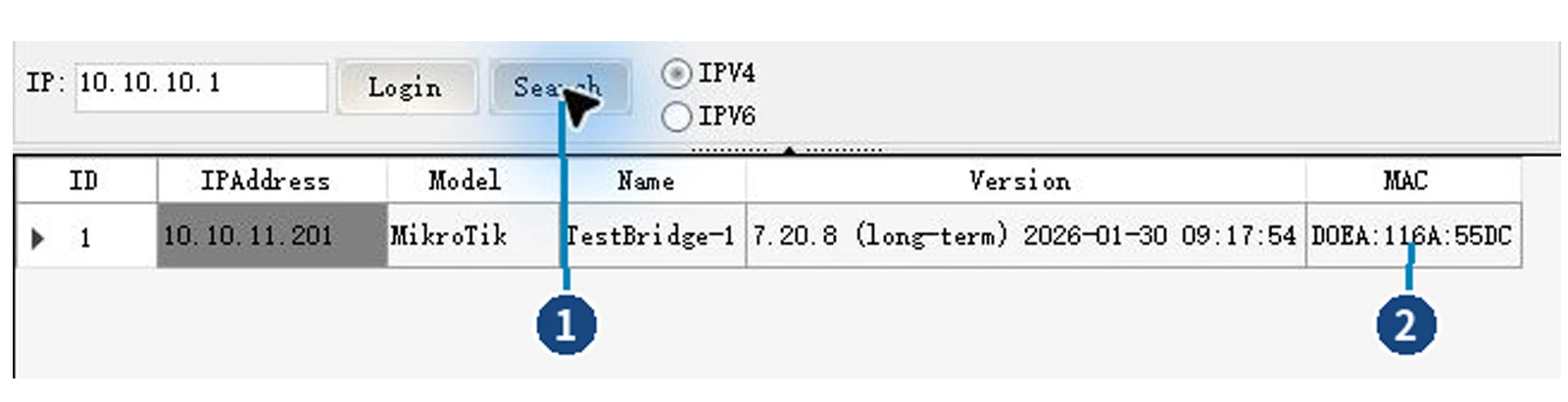
IPv4 discovery. 1: Search button. 2: MAC information.
3.1 IPv6 information in the same list
 Widened IPv6 view. 1: IPv6 option. 2: MAC information.
In this demonstration, selecting IPv6 reveals the device's link-local address. After returning to IPv4, click Search to refresh the IPv4 address used for management. Drag the vertical divider to allocate space between device information and the management page.
3.2 Open a device from its discovery result
After checking the target device, double-click its address in the list to open a management tab on the right. For a known management address, the IP field and Login entry provide another way to access the device.
|
LIST FIELD |
WHAT IT HELPS YOU CHECK |
|
IPAddress |
Identify the current management address |
|
Model / Name |
Read the reported device type and identity |
|
Version |
Check the reported RouterOS version |
|
MAC |
Distinguish devices and match the physical unit |
04 Embedded MikroTik web management
The right-hand tab hosts the device's own MikroTik web interface. Technicians familiar with RouterOS can keep their existing workflow while retaining discovery and identification information on the left, reducing the need to find the same device again in a separate window.
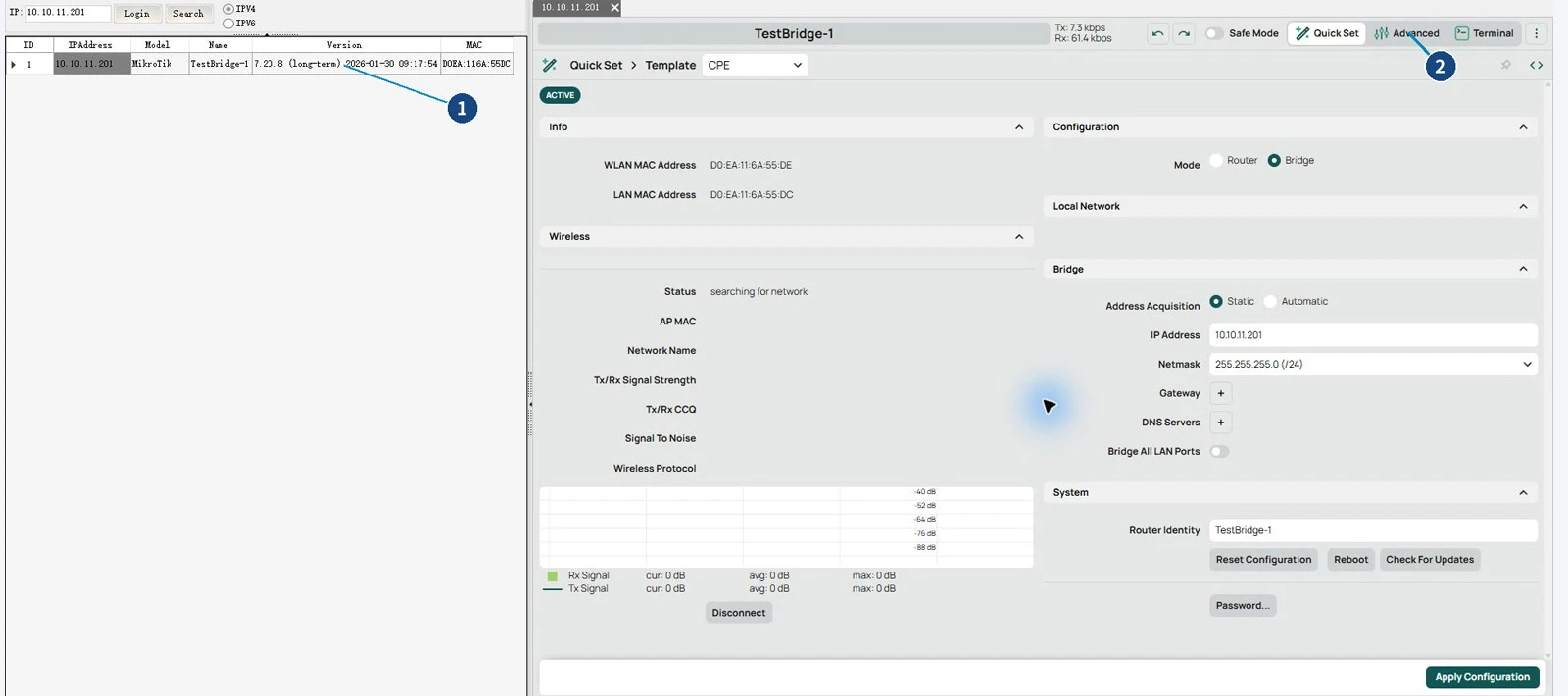
Management in one window. 1: Device list. 2: Advanced.
Quick Set and Advanced access
Quick Set groups common settings such as operating mode, network addressing and router identity. For more detailed management, Advanced exposes RouterOS menus for interfaces and system settings. The available pages depend on the device's RouterOS version and installed packages.
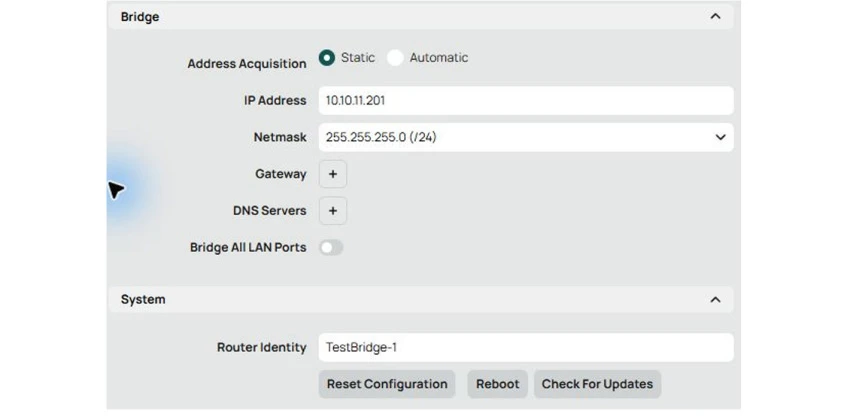
Network and system settings in Quick Set
05 Inspect interfaces and settings
During commissioning and support, technicians need to relate interface status to configuration. Embedded web management provides access to RouterOS interface information and the relevant parameter pages.
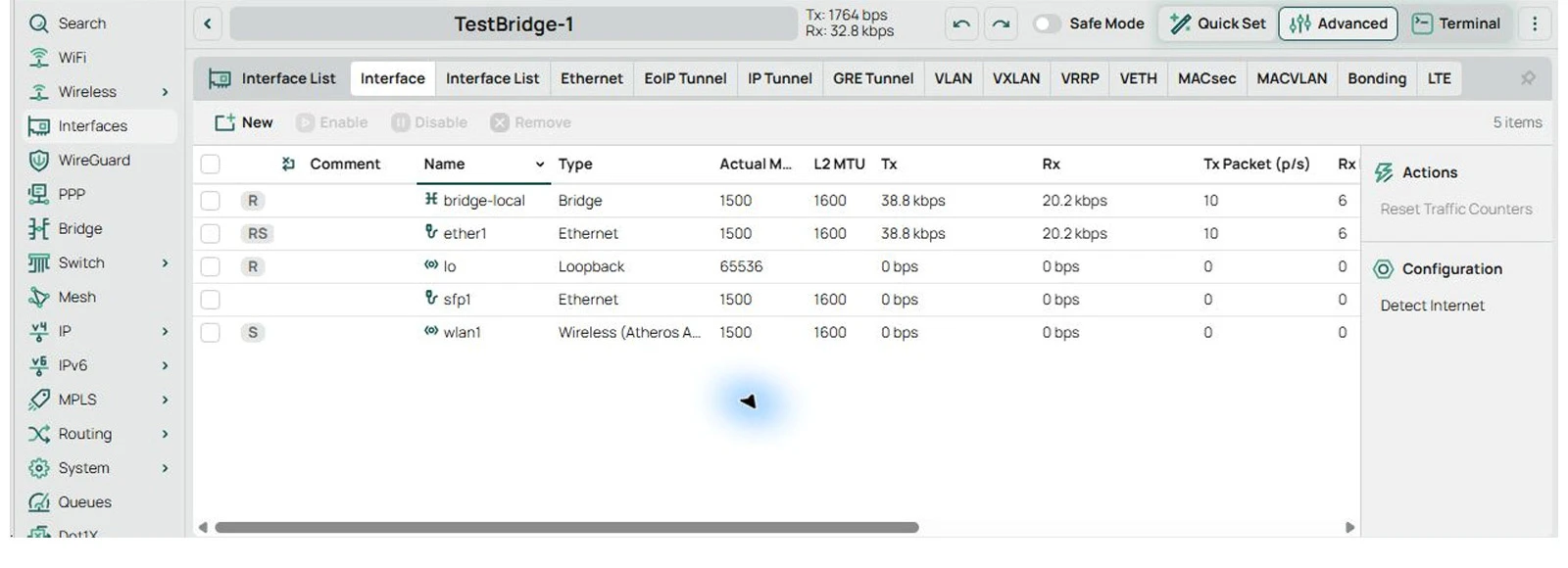
Figure 7. The interface list in embedded web management.
Review parameters exposed by the device
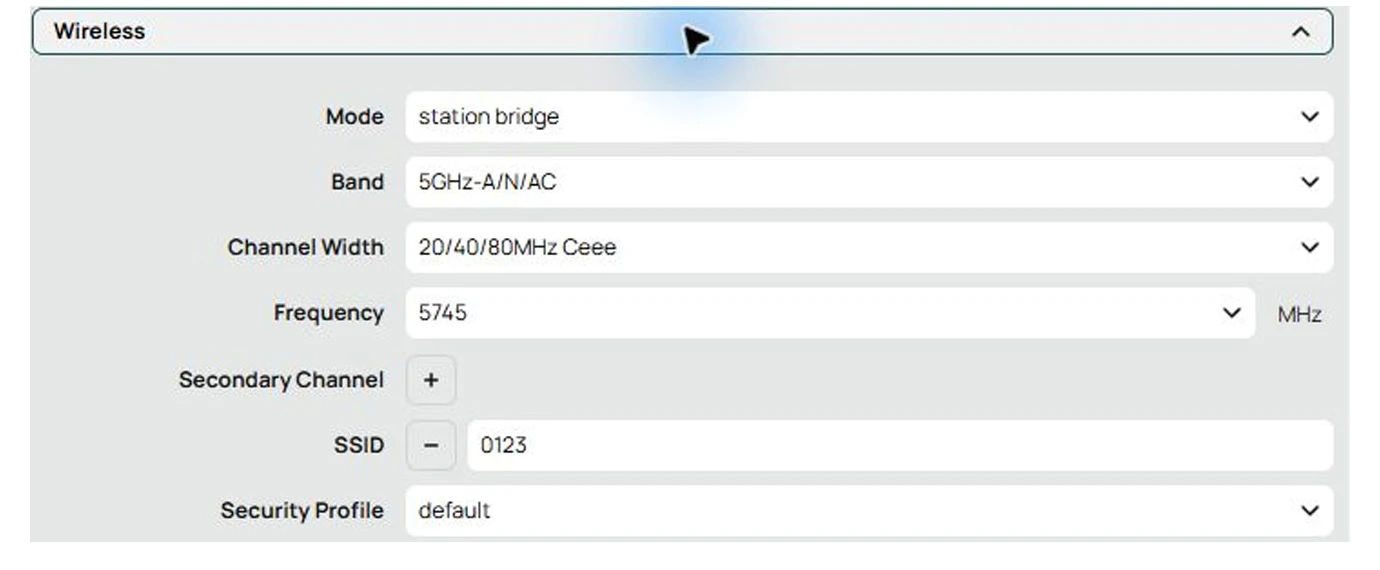
Figure 8. Detail of wlan1 settings: Mode, Band, Channel Width, Frequency and SSID.
Status and fields on these pages come from the connected device. This demonstration changes only the device identity. Other pages illustrate the available management views; configuration changes should match the model, installed packages and deployment requirements.
06 A verified device identity change
To demonstrate configuration management, the device identity is temporarily changed to BodaCOM-Demo, checked after saving, and restored to TestBridge-1. Clear names help distinguish test units, shipment units and installation locations.
6.1 Open Identity under System
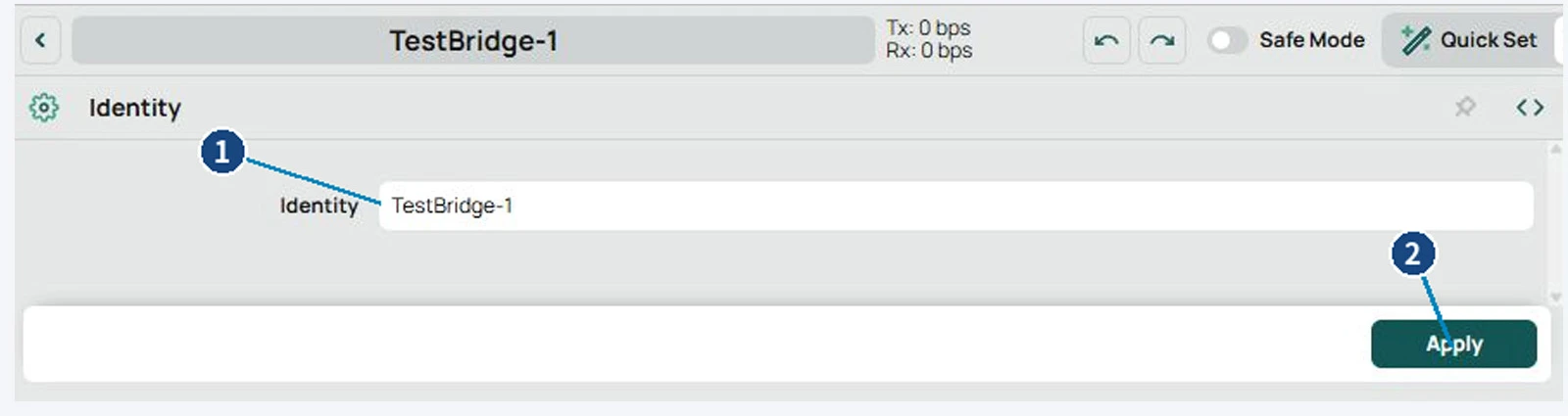
BodaCOM-Demo verified after reload. 1: Page title. 2: Identity value.
|
STAGE |
DEVICE IDENTITY |
|
Original |
TestBridge-1 |
|
Verified after saving |
BodaCOM-Demo |
|
Restored after demonstration |
TestBridge-1 |
The path is Advanced -> System -> Identity. Enter and save the identity, then reload the page to check the returned value. The original identity was restored and checked again at the end of the demonstration.
07 A workflow for equipment manufacturers
7.1 Prototype commissioning and identification
Search the local commissioning network, check the identity, address, version and MAC, and open the management page. For products built around MikroTik boards, the software can serve as a shared entry point for connecting to prototypes and checking configuration.
7.2 Pre-shipment checks and naming
Within a manufacturer's own shipment workflow, technicians can check each unit's version and identity and set a recognizable name through embedded management. Keeping the discovery list beside the configuration page helps confirm the target before an operation.
7.3 Field maintenance and support
A consistent sequence of discovery, identification, access, inspection, editing and verification helps teams explain issues and review results. The embedded interface retains familiar English MikroTik menus that can be matched to RouterOS documentation.
7.4 Customization and further development
The existing software can be customized and further modified around customer workflows and usage scenarios, adapting its functions and operation to specific needs. The scope of modifications can be defined according to customer requirements.
7.5 Model compatibility and access requirements
The verified combination in this brochure is RB922UAGS-5HPacD with RouterOS 7.20.8 (long-term). Other MikroTik models can be evaluated using the same workflow. Discovery and management depend on discovery services, address reachability, web services, account permissions and the RouterOS version. This demonstration does not constitute testing of every MikroTik model.
7.6 Sources
MikroTik RB922UAGS-5HPacD official product page
MikroTik RB922UAGS-5HPacD official brochure
The board image and hardware specifications are sourced from MikroTik.
Software screenshots were captured during the live demonstration; all interface text is in English.
Hot Tags: mikrotik device management software, China mikrotik device management software manufacturers, suppliers, factory


